
Selfie AI: Turn Selfies into Magic Videos
Turn Selfies into Magic Videos
The selfie is the self-portrait of the 21st century. But a static photo is boring. Use selfie ai to turn your face into art, animation, or a time-traveling movie.
Trusted by creative teams at
Selfie AI Studio
Cost: 20 Credits
💡 Sweet spot: 70% — Cool but still recognizable
Selfie Preview
Upload selfie → Choose transformation → Discover new you
Introduction
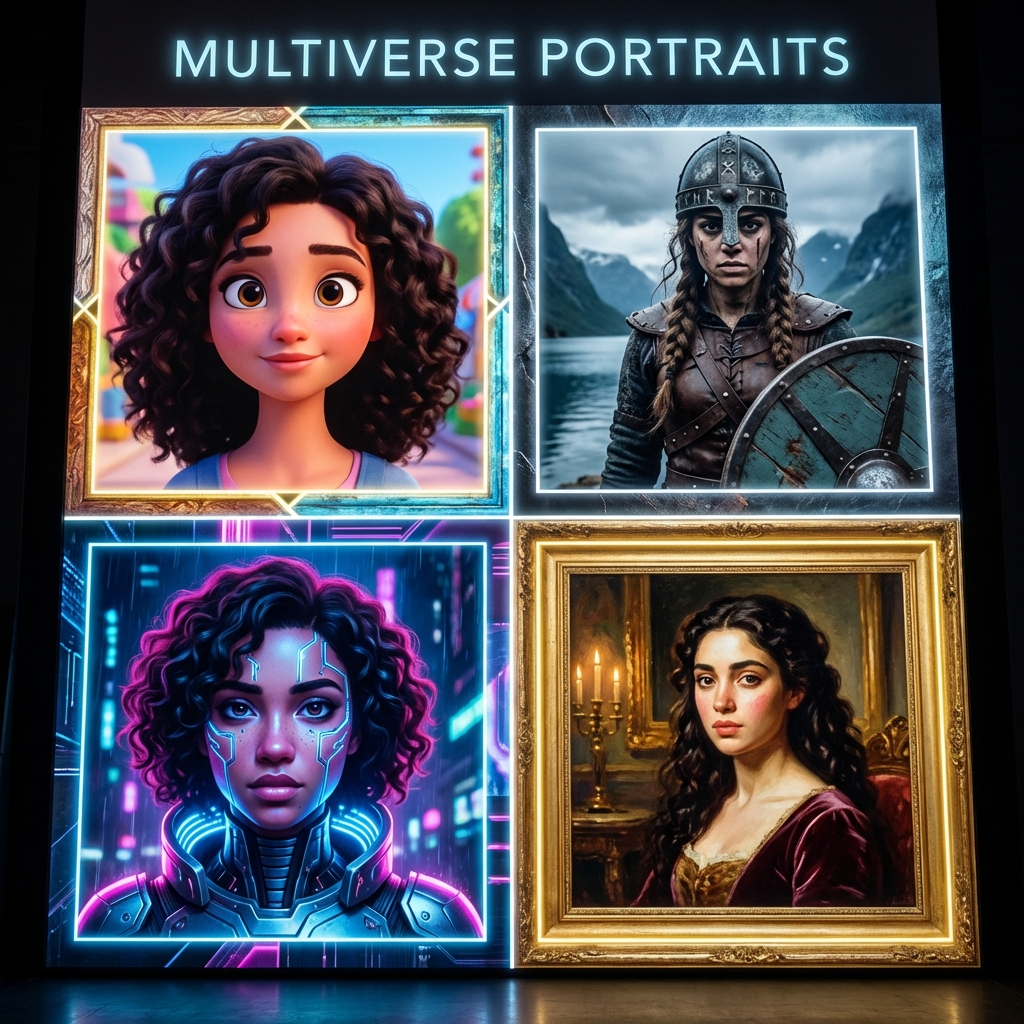
We take 93 million selfies a day. Most of them look exactly the same: same angle, same lighting, same filter. In the "Attention Economy," blending in is fatal. To get likes, shares, and dopamine, you need to disrupt the feed. You need a selfie that does something.
FlowVideo AI's Selfie AI is not a filter app; it is a "Reality Distortion Field." It uses advanced facial recognition and Generative Adversarial Networks (GANs) to reimagine who you are. It can turn you into a Disney princess. It can age you 50 years to see your future self. It can animate your static photo so you are singing a song you never sang. It transforms the most common form of photography into a canvas for limitless creativity.
This tool acts as a "Digital Makeup Artist" and "VFX Studio" combined. Whether you are an influencer trying to keep your audience entertained, or just someone bored on a Tuesday night, Selfie AI turns your front camera into a magic wand.
Why Use Selfie AI? (Deep Dive)
The "Ego Bait" Factor & Identity Play
The Technology: Generative Identity & Facial Mapping
Facial Landmark Detection (The 3D Mesh)
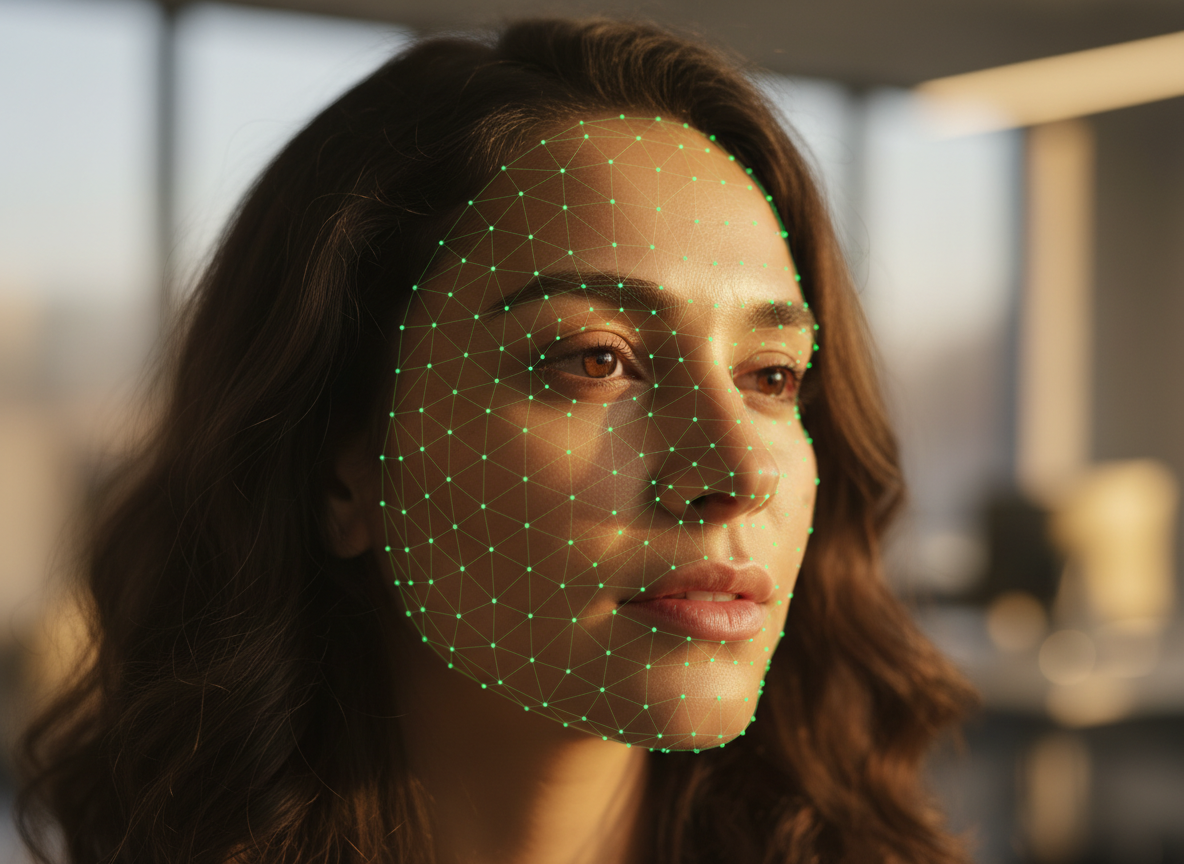
The AI scans your photo and maps 468 key points (Landmarks). The Geometry: It knows exactly where the corner of your eye is, the curve of your lip, the bridge of your nose. It builds a 3D topology of your face. The Tracking: This mesh locks onto your face like a digital mask. If you tilt your head in the video, the mesh tilts with you. This ensures that any filter, makeup, or style applied stays "glued" to your skin, even in motion. Unlike old Snapchat filters that would "slip," our mesh is rock solid.
Style Transfer (CycleGAN & LoRA)
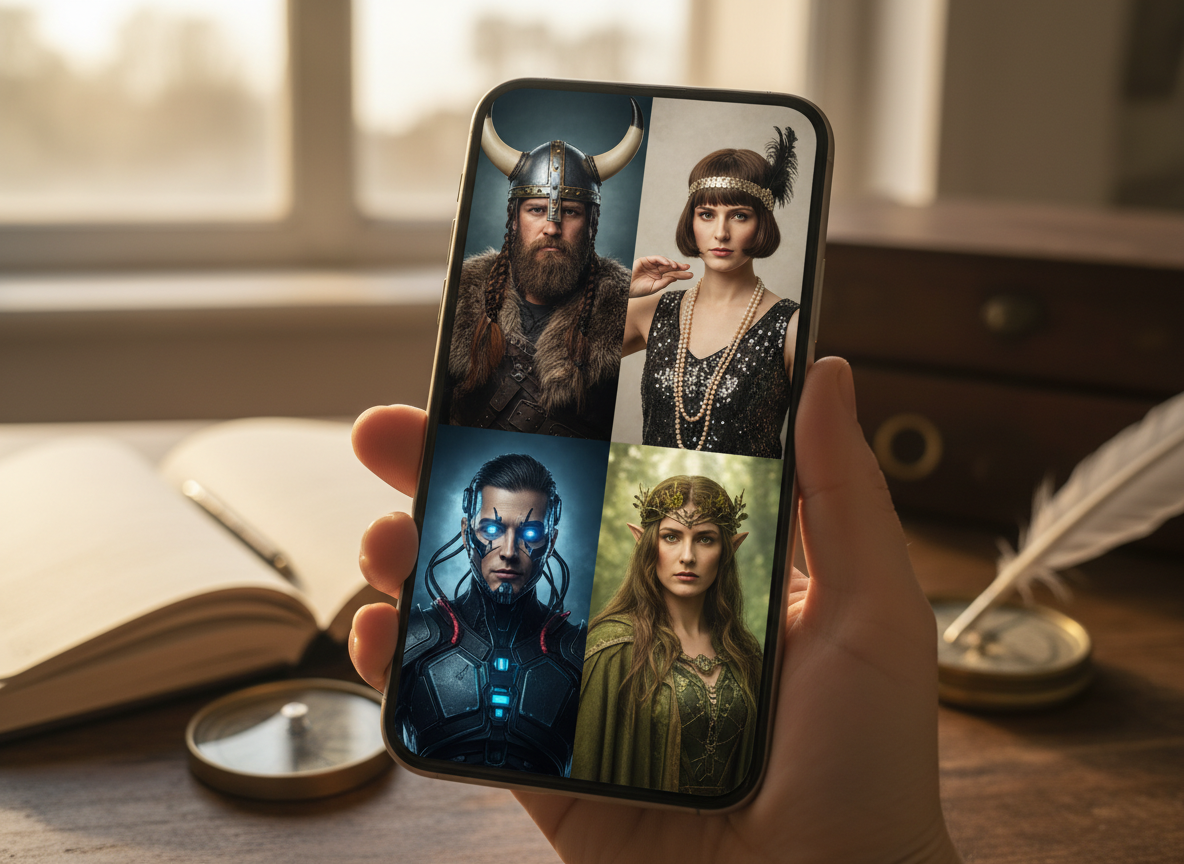
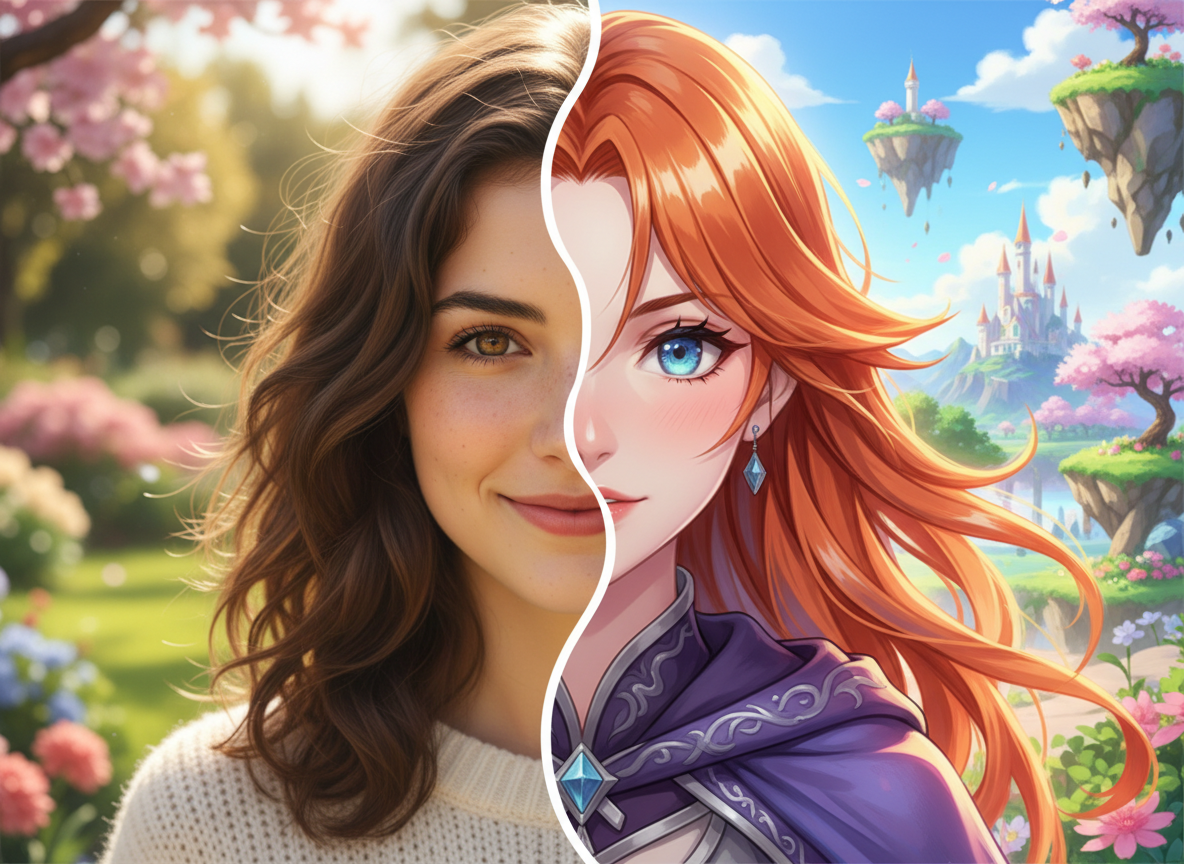
To turn you into an Anime character, we use CycleGANs (Generative Adversarial Networks). The Translation: The AI learns the statistical difference between a "Photo Domain" (Real life) and an "Anime Domain" (2D cartoons). It translates your pixels from one to the other. Feature Preservation: Crucially, it preserves your identity. It keeps your eye color, your smile shape, and your facial structure, so you are still recognizable as "You," just in a different universe. We use LoRA (Low-Rank Adaptation) adapters to ensure the style is applied consistently across every frame of a video.
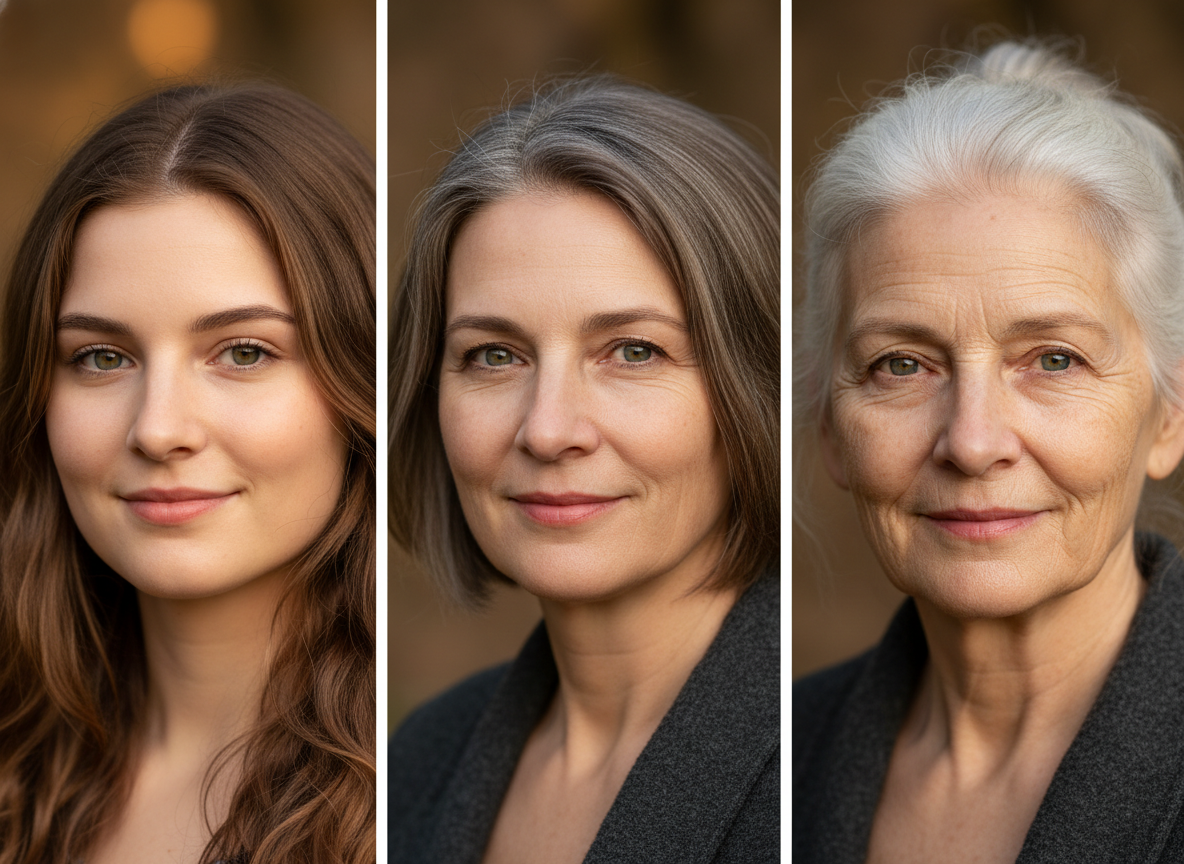
Age Progression (Latent Space Traversal)
To make you look old, the AI moves your vector representation through the "Latent Space" along the "Age Axis." It adds wrinkles, thins the hair, sags the skin, and recedes the hairline in a biologically accurate way, based on training data of how millions of humans age. It is not just drawing lines; it is simulating the breakdown of collagen.
Step-by-Step Guide: Transforming Your Selfie
Step 1: Upload or Capture (Source Input)
Lighting: Ensure your face is evenly lit. Soft, natural light from a window is best. Harsh shadows (e.g., from overhead lights) confuse the mesh and create weird artifacts. Angle: Look straight into the lens. Extreme side profiles might hide the other eye, making 3D reconstruction difficult. Expression: A neutral expression or a slight smile works best for "Morphing." Open mouths (yelling/laughing) can sometimes distort when the AI tries to map a different face onto yours. Resolution: Use the back camera if possible, or a high-quality front camera. Low-res source files lead to blurry output.
Step 2: Choose Your "Transformation" Mode
Who do you want to be? Style Transfer: Apply an artistic filter. Choices include "Cyberpunk," "Renaissance Painting," "Pixar 3D," "Zombie," "Simpsons Style." Utility Effects: "Aging" (Old/Young), "Gender Swap," "Smile Generator" (forces a frown into a smile), "Hair Color Changer." Motion Effects: "Singing" (upload a song and your lips move), "Winking," "Nodding," "Talking Head" (type text and your face speaks it).
Step 3: Adjust the Intensity (The "Alpha" Slider)
Strength Slider: 0% is the original photo. 100% is the full AI generation. The Sweet Spot: Usually, 70% is the magic number. At 100%, you might look too much like a generic cartoon. At 70%, you look cool but still undeniably like yourself. Morphing Video: Select "Generate Morph." This creates a video that slowly morphs from "Young You" to "Old You" over 5 seconds. This transition format is highly shareable on TikTok.
Step 4: Background Replacement (Segmentation)
Don't be in your messy bathroom. Segmentation: The AI automatically cuts you out from the background (Rotoscoping). New Location: Place yourself on Mars, in Paris, or in a glitched computer world using Generative Fill. Depth of Field: The AI manages the blur so the background looks realistically out of focus (Bokeh), mimicking a DSLR camera lens (f/1.8 aperture).
Step 5: Export Video
Format: Export as MP4 (Video) for Instagram/TikTok or GIF (Loop) for Twitter/Discord. Ratio: Choose 9:16 (Vertical) as it fits perfectly on smartphone screens. Resolution: 1080p is standard. 4K upscaling is available for Pro users.
Comparison: Selfie AI vs. Traditional Filters
| Feature | Snapchat/IG Filters | FlowVideo Selfie AI |
|---|---|---|
| Technology | Simple AR overlays (2D) | Deep Generative Models (GAN/Diffusion) |
| Quality | Low-res, realtime | High-res, offline rendering |
| Customization | Fixed presets | Text-promptable ("Make me look like...") |
| Consistency | Glitchy movement | Rock-solid temporal consistency |
| Commercial Use | No | Yes (You own the output) |
Industry Use Cases
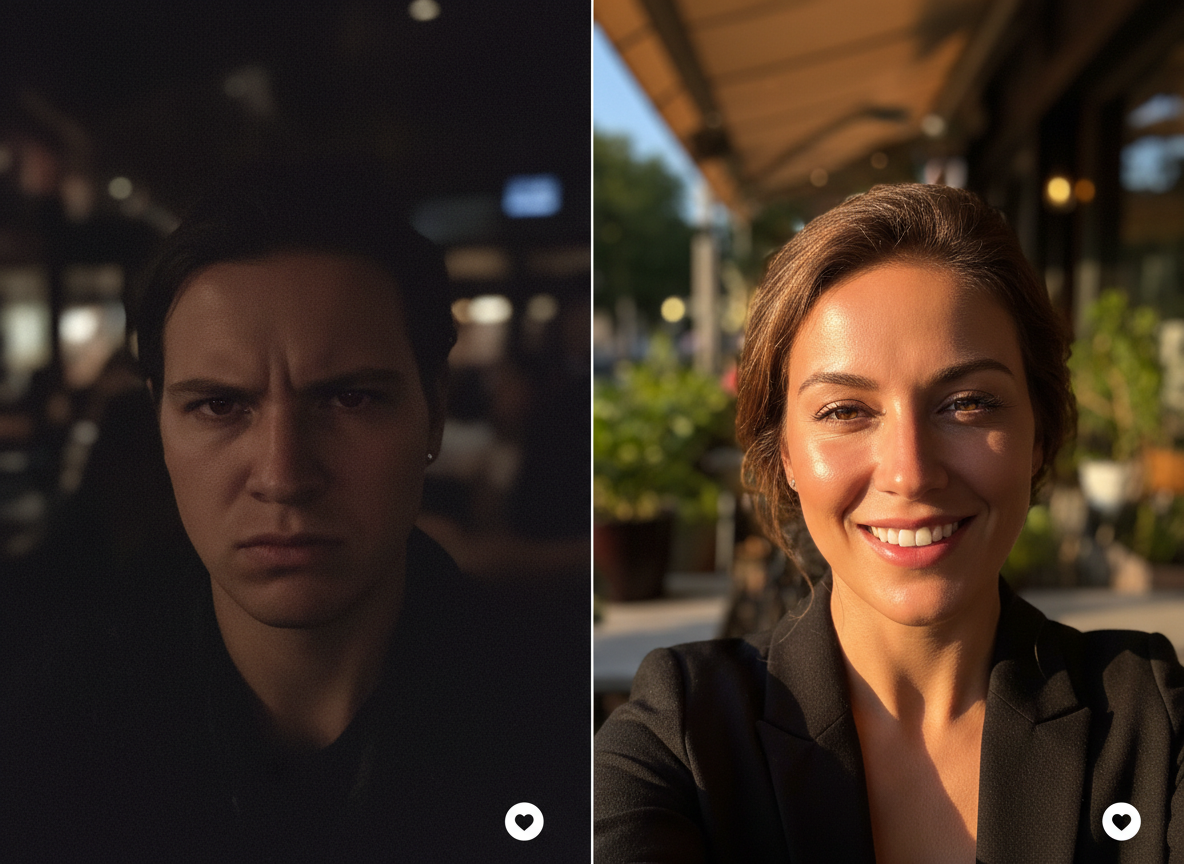
Dating Apps (Tinder/Hinge)
User Goal: Look attractive but authentic. Action: Use selfie ai to enhance profile photos. Add a subtle "Golden Hour" lighting effect or fix a bad hair day without plastic surgery. Result: Higher match rate. Note: Don't overdo it, or the date will be disappointed in real life!
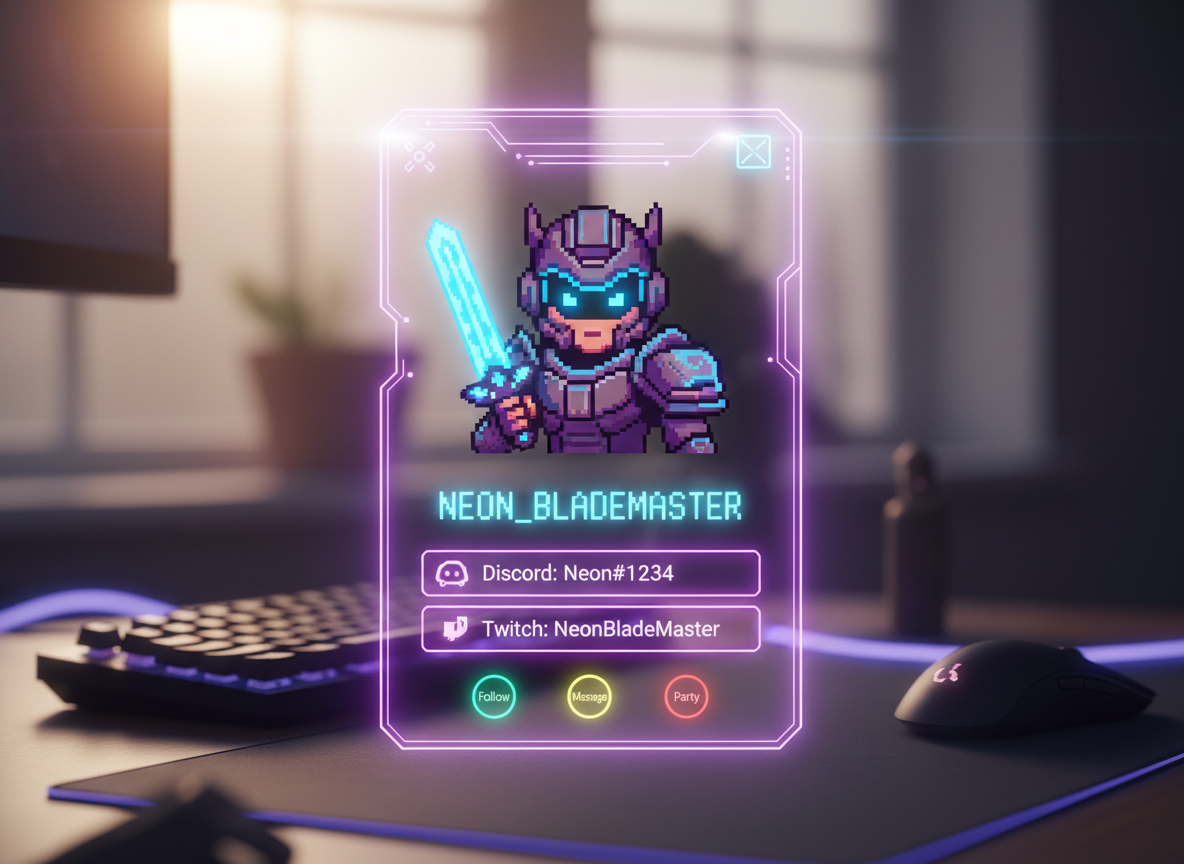
Gaming Avatars (Twitch/Discord)
User Goal: Privacy and Cool Factor. Action: Gamers upload their selfie to generate a "Pixel Art" or "Cyberpunk RPG Character" version of themselves. Result: It keeps their real identity anonymous but personalized. "This is me, but cooler."
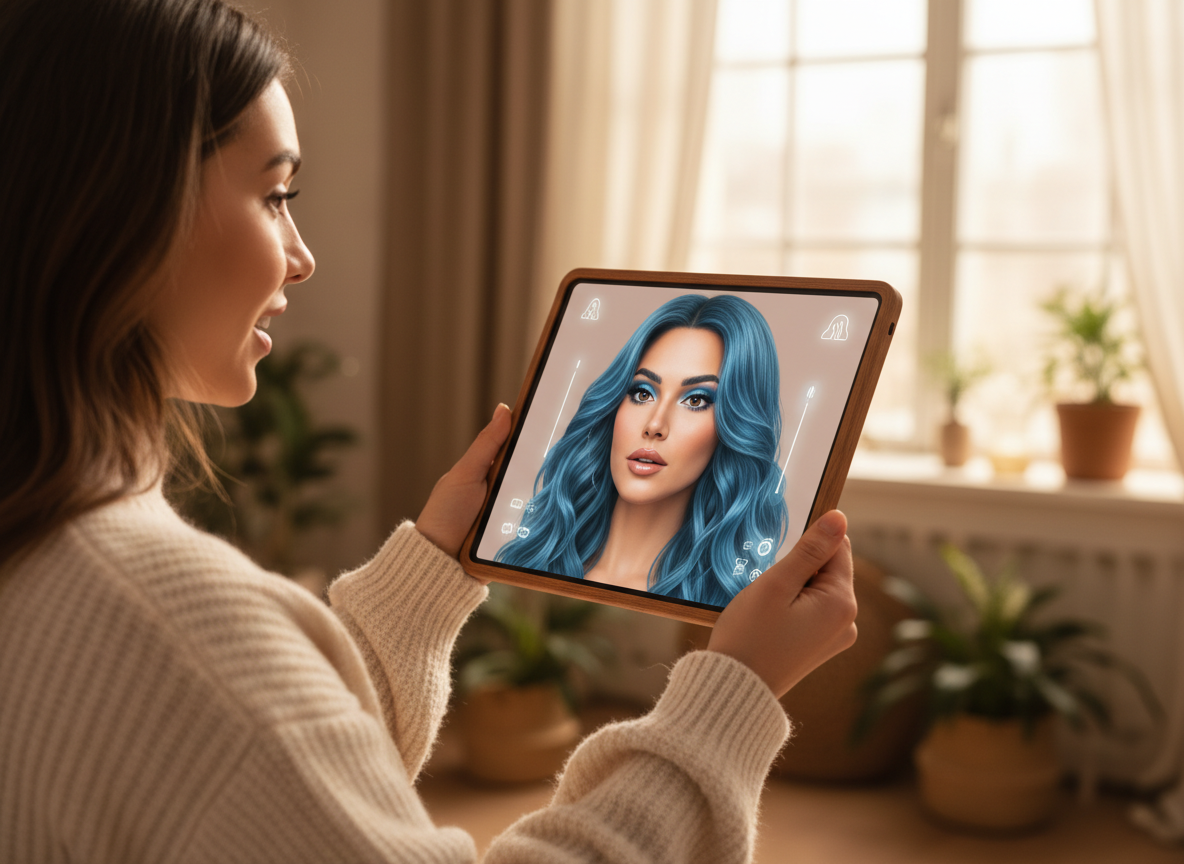
Hair and Makeup Testing (Beauty)
User Goal: Experimentation. Action: People use the "Style Transfer" to test new looks. "What would I look like with blue hair?" "What would I look like with bangs?" Result: It's a risk-free way to experiment before committing to a salon visit. Salons use it to show clients the result before cutting.
Marketing Campaigns (Viral Marketing)
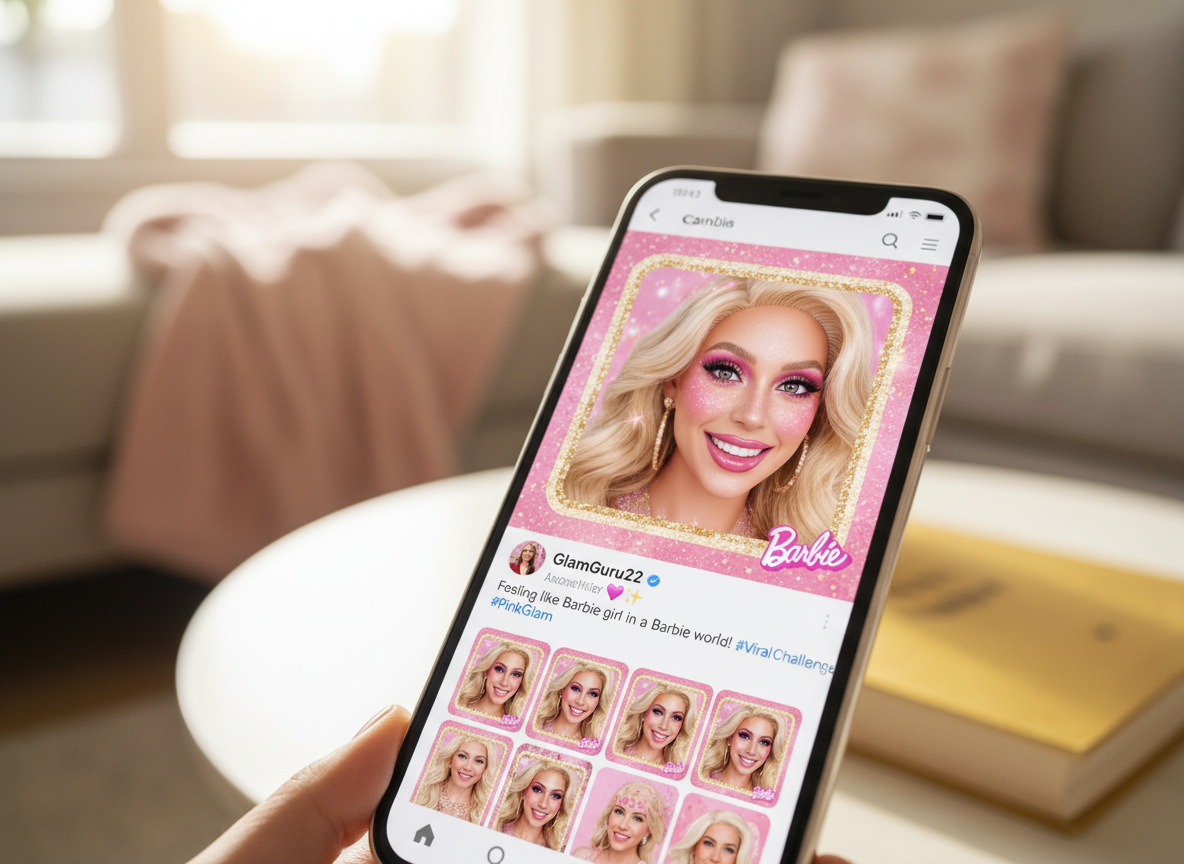
User Goal: Brand Engagement. Action: A movie studio releases a "Barbie Filter" on our platform. Users upload photos to turn into plastic dolls. Result: Fans generate millions of these selfies and share them, doing the marketing for the movie for free.
What Users Are Saying
New me unlocked.
Taylor M.
Influencer
“My 'Old Me' video got 2M views. People love identity transformation content.”
Chris L.
Gamer
“My Discord avatar is a Cyberpunk version of myself. Privacy + identity. Perfect.”
Sophie K.
Salon Owner
“I show clients hair color changes before cutting. Closes sales instantly.”
Troubleshooting: Common Selfie AI Issues
"Melting" Face
Upload a photo where the full face is visible. Remove hands/glasses.
Loss of Likeness
Lower the **"Style Strength"** slider to 60-70%.
Jittery Background
Choose a **"Static Background"** or use a source photo with a clean wall behind you.
Low Resolution
Use the built-in **"AI Upscaler"** to enhance the face details before applying the filter.
Frequently Asked Questions about Selfie AI
Selfie AI Video Generation: From Static Portraits to Living Digital Art
The Selfie Problem Nobody Talks About
Every smartphone owner has hundreds of selfies sitting in their camera roll, yet almost none of them stand out. The angles blur together, the expressions repeat, and the backgrounds fade into forgettable noise. Social feeds move fast, and a standard portrait photo gets buried within seconds. The gap between a forgettable selfie and a scroll-stopping piece of content is not about better lighting or a newer phone. It is about transformation. Selfie AI from FlowVideo bridges that gap by converting ordinary front-camera shots into animated videos, stylized portraits, and dynamic visual content that actually holds attention. Rather than applying a flat overlay, the tool rebuilds the image through generative models that understand facial geometry, skin texture, and spatial depth. The entire workflow runs in the browser with no design software required, making professional-grade portrait animation accessible to anyone with a selfie and a few minutes.
How Facial Mesh Technology Preserves Your Identity
The core challenge in any selfie AI transformation is maintaining recognizability. When you see the output, it should still look like you, whether the style is anime, oil painting, or cyberpunk. FlowVideo achieves this through a 468-point facial landmark detection system that maps the precise topology of your face before any style transfer begins. This 3D mesh tracks the distance between your eyes, the curve of your jawline, the width of your nose bridge, and dozens of other measurements that make your face uniquely yours. During style transfer using CycleGAN and LoRA adapters, these anchor points remain locked. The generative model changes the surface texture, the color palette, and the artistic rendering, but the underlying bone structure and proportional relationships stay faithful to the original. Even when you tilt your head or shift your expression across video frames, the mesh follows every micro-movement so the applied style stays glued to your skin. This is why FlowVideo selfie AI outputs avoid the uncanny valley effect that plagues simpler filter apps, producing results where you are unmistakably yourself in a completely different visual universe.
Motion Effects That Turn Photos Into Shareable Video
Static images struggle on platforms built for video. Instagram Reels, TikTok, and YouTube Shorts all prioritize moving content in their algorithms, giving video posts significantly more reach than photos. Selfie AI solves this mismatch by adding controlled motion to still portraits. The cinemagraph mode animates selective elements like hair movement or shifting clouds while keeping the face composed and sharp. The lip-sync feature maps audio tracks onto the facial mesh so your portrait appears to speak or sing, opening creative possibilities for content that would normally require a full recording setup. The aging morph creates a smooth transition video from your current appearance to a projected older version, a format that consistently drives engagement because viewers are fascinated by identity progression. You can also generate gender-swap transitions and style-shift sequences that morph between artistic genres in real time. Each of these motion effects exports as standard MP4 in vertical 9:16 ratio, ready for direct upload to any short-form video platform without additional editing.
Background Segmentation and Scene Replacement
A cluttered background undermines even the best facial transformation. FlowVideo selfie AI includes automatic portrait segmentation that separates your figure from the environment with pixel-level precision. Once isolated, you can drop yourself into any scene: a sunset rooftop, a neon-lit street, or a generated fantasy landscape. The depth-of-field engine adds realistic bokeh blur to the replacement background, mimicking the shallow focus of a professional camera lens. This combination of foreground sharpness and background softness creates a cinematic quality that elevates the final output far beyond what phone cameras produce natively. For creators who film in cramped apartments or uninspiring offices, background replacement removes the single biggest barrier to professional-looking selfie content.
Practical Applications Beyond Social Media
While viral selfie transformations drive most initial interest, the technology serves practical purposes across multiple industries. Beauty salons use selfie AI to preview hair color changes and makeup styles on client photos before committing to physical alterations, reducing customer uncertainty and increasing booking conversions. Dating app users apply subtle enhancement effects to profile photos, improving match rates with natural-looking adjustments rather than heavy filters that misrepresent their appearance. Gaming communities generate stylized avatar versions of their real faces for Twitch overlays and Discord profiles, maintaining privacy while still projecting a personal identity. Marketing teams build branded filter campaigns where users transform their selfies into themed characters, generating organic social sharing that functions as free advertising. Each application leverages the same core facial mesh and style transfer pipeline but adapts the output intensity and artistic direction to suit its specific context.
Optimizing Your Source Photo for the Best Results
The quality of your selfie AI output depends heavily on the input. Even lighting matters more than expensive hardware. Soft natural light from a window eliminates harsh shadows that confuse the facial mesh and create artifacts in the final render. A straight-on angle with both eyes visible gives the landmark detection system the best data for building an accurate 3D topology. Neutral or slightly smiling expressions produce cleaner morphs than extreme poses, because the generative model has more stable geometry to work with. Resolution plays a role as well. Using the rear camera or a high-quality front sensor provides more pixel data for the style transfer to operate on, resulting in sharper textures and finer detail in the transformed portrait. If your source image is low resolution, the built-in upscaler can enhance facial details before the transformation begins, but starting with a crisp original always yields the most convincing selfie AI video output.