
AI Tools for Ads
The Ultimate Marketing Stack
The era of "Mad Men" intuition is over. The era of "Math Men" automation is here. Winning at paid social requires volume, velocity, and variance. Use our suite of AI Tools for Ads to replace your entire creative department with intelligent algorithms that generate, test, and optimize high-converting campaigns instantly.
Built for transparent creative workflows
Ad Variation Generator
Cost: 240 Credits (4 variations)
Ad Variation Generator
Fill in your target audience, pain point, and USP to generate multiple ad variations.
Introduction
In modern digital marketing, "Creative is the new Targeting." Facebook and TikTok have removed most manual targeting options. Their algorithms are now so smart that they find your customers for you *if* you feed them the right creative.
But feeding the beast is exhausting. You need new hooks every day. You need different formats for Reels, Stories, and Feeds. You need to test 50 headlines to find the one that works.
Doing this manually is impossible. FlowVideo AI's AI Tools for Ads is a unified ecosystem designed to solve the "Content Supply Chain" problem. It combines Script Generation, Video Production, Voiceover Synthesis, and A/B Testing into a single workflow. It allows a single media buyer to output the volume of a 10-person agency.

Why Use AI Tools for Ads?
Asset Velocity (Speed to Market)

The Technology: The Generative Stack
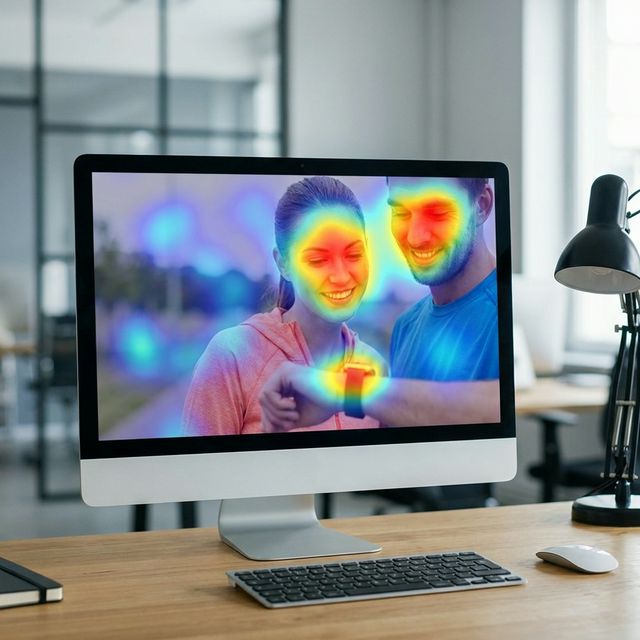
Computer Vision (Saliency)
Before the ad is even shown to a human, the AI "looks" at it. The Scan: It creates a "Saliency Map" (Heatmap) to predict where a user's eye will land in the first 0.5 seconds. The Optimization: If the eye lands on the background instead of the product, the tool suggests cropping or blurring the background. It ensures the "Visual Hierarchy" is optimized for mobile screens.

NLP Copywriting (Persuasion)
The AI understands "Direct Response" psychology. Patterns: It doesn't write poetry. It writes sales copy. It uses patterns like "Pattern Interrupts" (Stop scrolling!), "Curiosity Loops" (You won't believe...), and "Scarcity" (Only 5 left). Tone: It can switch from "Friendly Influencer" to "Authoritative Expert" instantly, aligning the copy with the visual aesthetic.
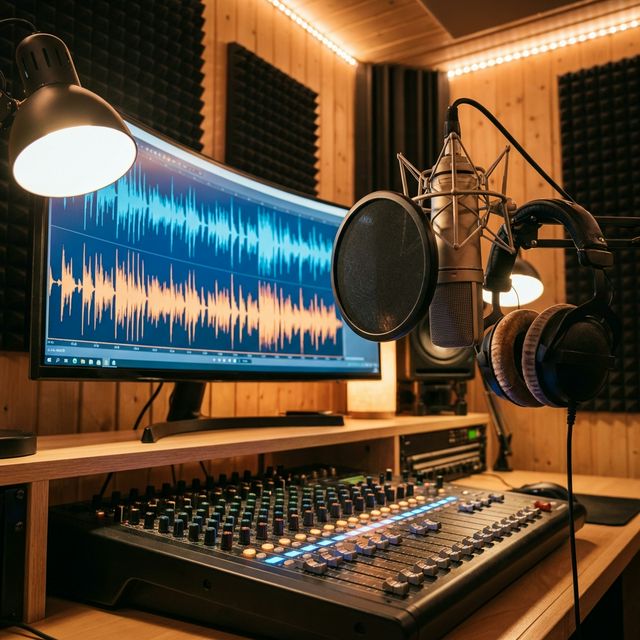
Audio Synthesis (Sonic Branding)
Sound is half the experience. Music Match: The AI analyzes the mood of your video (High Energy vs Sad) and selects a copyright-free track from our library that matches the BPM (Beats Per Minute) of the cuts. Voiceover: It generates a voiceover that emphasizes the keywords (bolding them in audio) to ensure the message lands.
Step-by-Step Guide: Building an Ad Campaign
Define the Persona
Target: "Busy Moms." Pain Point: "No time to cook." Solution: "Meal Prep Delivery."
Generate Scripts (The Hooks)
Tool: Use the Script Generator. Input: "Write 5 hooks for a meal prep service targeting moms." Output: 1. "Stop cooking dinner every night." 2. "What I eat in a day as a busy mom." 3. "The secret to saving 10 hours a week."
Create Visuals (The Body)
Asset: Use Stock Picker or AI Video Gen. Prompt: "Happy woman opening a fresh food box in a bright kitchen." Overlay: Add text "50% OFF First Box."
Assemble and Edit (The Edit)
Tool: Video Ad Maker. Action: Drag script to timeline. Drag video to timeline. Click "Sync." Polish: Add "Pop" sound effects on text reveal.
Export and Launch
Format: Export 9:16 for TikTok/Reels and 1:1 for Facebook Feed. Thumbnail: Select the most shocking frame as the cover.
Comparison: The Ad Toolkit
| Feature | Manual Creation (Adobe/Canva) | FlowVideo AI Tools |
|---|---|---|
| Scripting | DIY (Writer's Block) | Auto-Generated (Proven Frameworks) |
| Footage | Stock Sites ($$$) | Integrated Generative |
| Editing | Timeline Hell | Prompt-to-Edit |
| Variations | Slow Copy/Paste | One-Click Multiplication |
| Optimization | Post-Launch Guessing | Pre-Launch Saliency Check |
Industry Use Cases

Dropshipping
Tool: Product Video Maker. Strategy: "The Problem/Solution." Execution: Validating a new product (e.g., a posture corrector) by generating 10 ads in one hour. If none work, move to the next product. Fast failure is the goal.

SaaS (Software)
Tool: Screen Recorder + Zoom AI. Strategy: "The Feature Highlight." Execution: Showing how the software solves a specific annoyance (e.g., "Automate your taxes"). Highlighting the "Click" that saves the time.

Local Business (Real Estate)
Tool: Slideshow Maker. Strategy: "The Virtual Tour." Execution: Turning photos of a house into a smooth video tour with calming music and text highlighting "Granite Countertops."
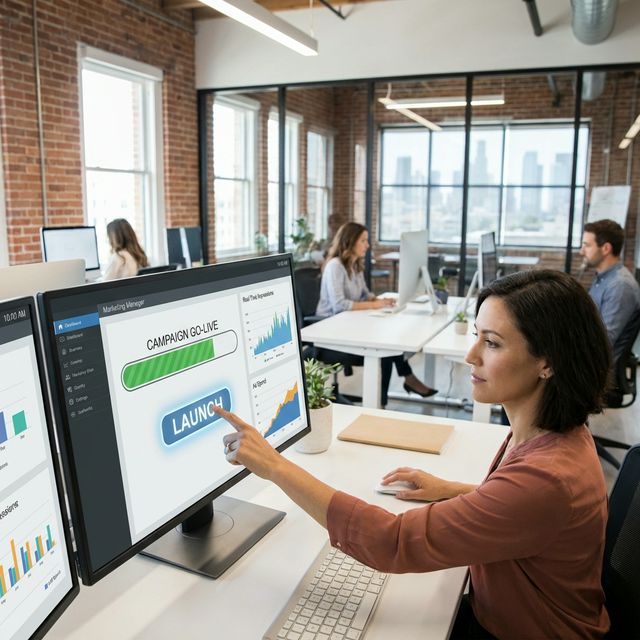
App Marketing
Tool: App Store Preview Gen. Strategy: "The Gameplay." Execution: Fast-paced montage of the game in action. Text overlay: "Harder than it looks."
Verify the workflow before generation
Review the inputs, model, estimated credit cost, output type, and limitations shown on this page.
Troubleshooting: Why Ads Fail
High CPM
Use "Native Mode" to make it look less like an ad (add grain, remove logo).
Low CTR
Use "Hook Swap" to change the first 3 seconds without re-editing the whole video.
High CPC
Use "Clarity Check" to simplify the copy to a 5th-grade reading level.
No Conversion
Make the Call to Action bigger and add urgency ("Ends Tonight").