
How to Create Professional Videos with AI
A Strategic Technical Report on Achieving Broadcast-Quality Output Through AI-Augmented Production
Introduction: The Economics of Production Value
Producing amateur content is trivial; achieving professional-grade video output is a complex engineering challenge. This report explores how to create professional videos that establish authority, enhance brand equity, and drive conversion by leveraging FlowVideo's enterprise-grade AI Video Generator infrastructure.
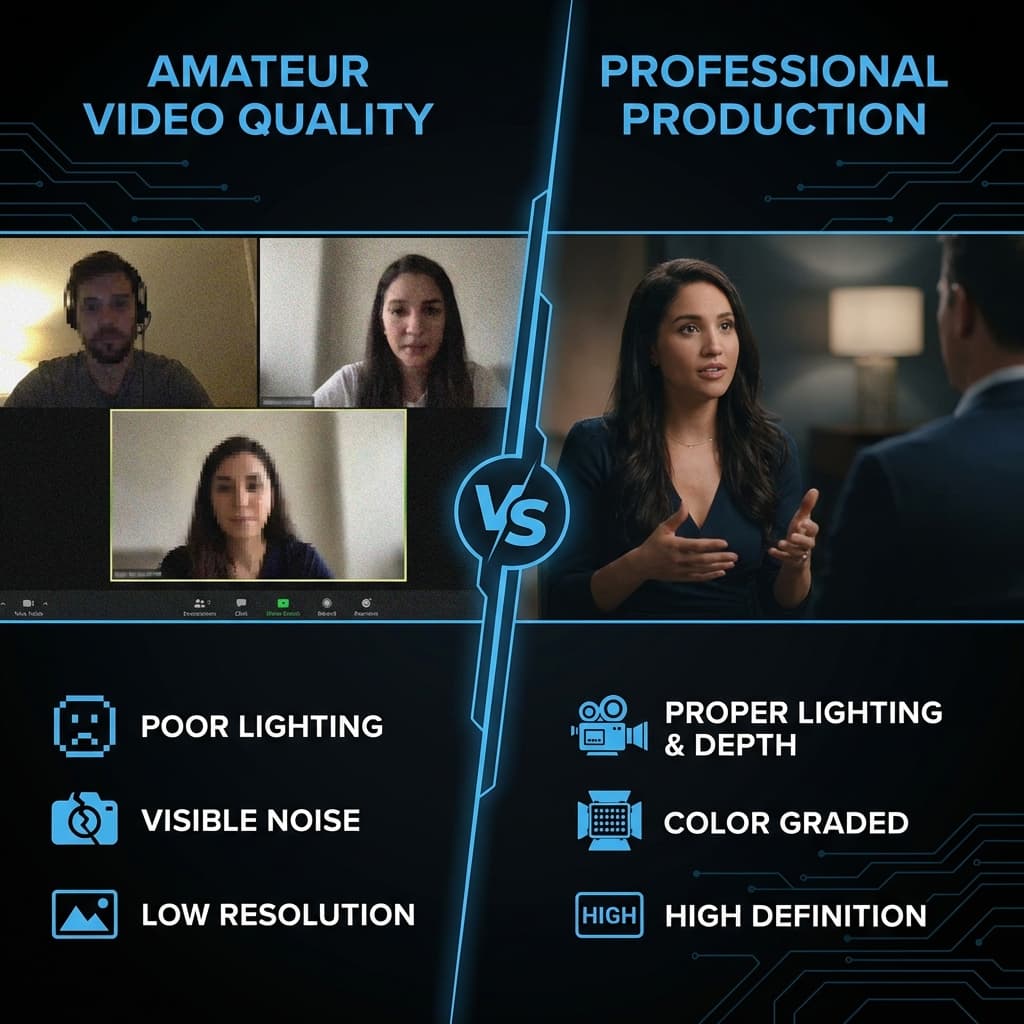
In the contemporary digital economy, 'Production Value' serves as a direct proxy for 'Institutional Trustworthiness.' This correlation is a harsh but immutable reality of the attention economy: when a prospective stakeholder encounters a video characterized by visual noise, poor lighting, or suboptimal audio, they subconsciously attribute these deficiencies to the product or service itself. This phenomenon, known in behavioral psychology as the 'Halo Effect,' dictates that positive aesthetic qualities lead to positive capability attributions.
Historically, for Small and Medium Enterprises (SMEs), startups, and individual creators, the capital requirements to bridge this 'Quality Moat' were prohibitive. Access to commercial videography crews (starting at $2,000/day), motion designers for custom kinetic identity ($500+ per asset), and cinema-grade hardware created a sharply bifurcated market. The Fortune 500 utilized 'Cinema,' while the rest of the market was relegated to 'Webcam' fidelity.
FlowVideo AI addresses this market inefficiency by democratizing post-production infrastructure. By virtually replicating the capabilities of a Hollywood studio within a browser-based environment, the platform enables the standardization of visual identity across all output vectors. From 'AI Color Grading' engines that emulate Arri Alexa distinctives to 'Brand Kits' that enforce logo placement protocols, the technology provides the necessary infrastructure to transform a single marketing operator into a scalable broadcast network.
Why Create Professional Videos with AI?
The distinction between 'Professional' and 'Amateur' output is rarely defined by the resolution of the sensor, but rather by consistency, audio fidelity, and finishing polish.
The Pillars of Professional Video Production
| Dimension | Amateur Approach | Professional Standard |
|---|---|---|
| Brand Consistency | Ad-hoc colors and fonts per video | Enforced Brand Kit with Hex codes and typography |
| Audio Quality | Camera-mounted microphone, room echo | Isolated voice, music at -20dB, auto-ducking |
| Information Architecture | Stream-of-consciousness narrative | Lower thirds, title cards, B-roll cutaways |
| Asset Licensing | Unlicensed stock, copyright risk | Commercially cleared Asset Lake |
| Scalability | One-off manual edits | Templated, infinitely replicable production |
Brand Consistency (The 7-Touch Rule)
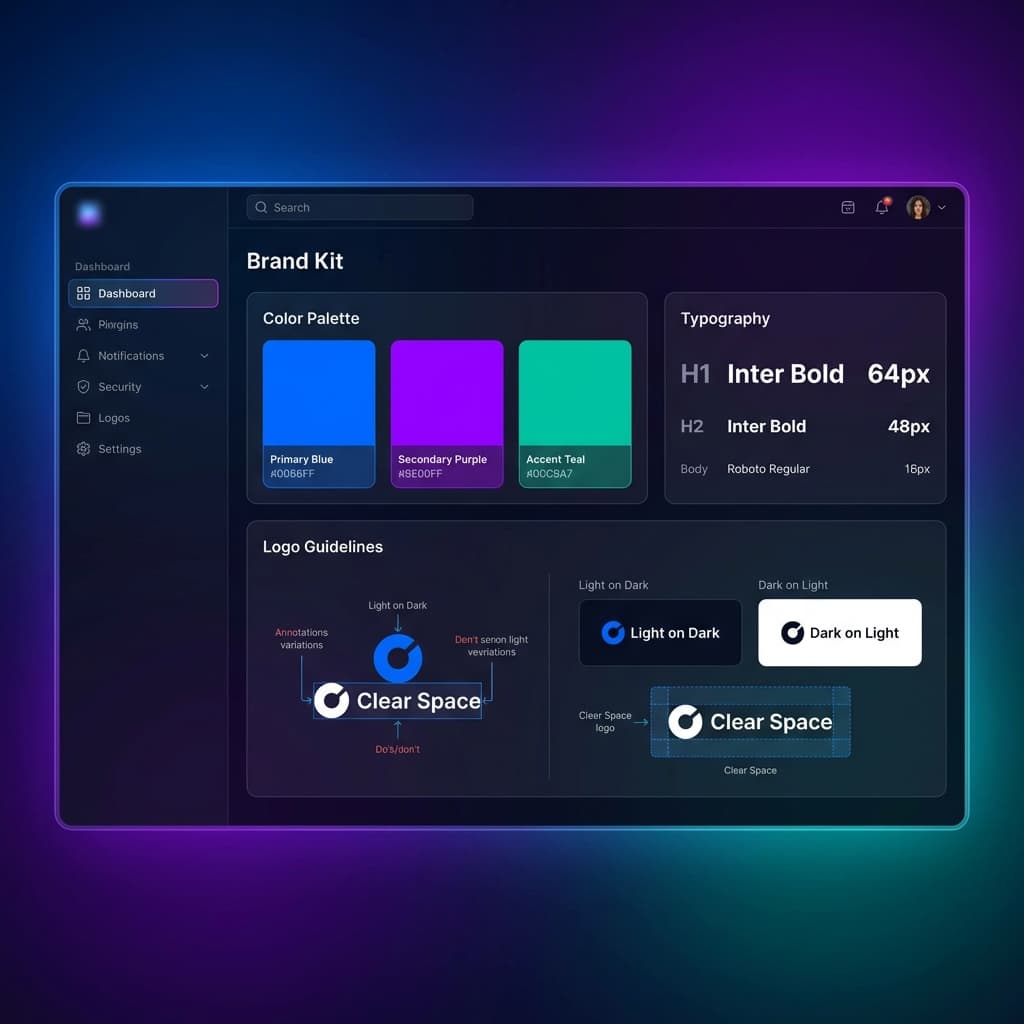
Marketing science posits that a consumer requires approximately seven impressions before a brand achieves cognitive resonance. However, effective recall is predicated on visual uniformity. If these seven touchpoints exhibit variance—divergent typography, inconsistent color palettes, or erratic logo positioning—brand equity fails to accumulate. FlowVideo AI implements 'Brand Guardrails' to enforce this uniformity. Administrators upload Hex Codes and Font Files into the system. Subsequently, the generative AI engine rejects any output that deviates from these parameters, effectively functioning as an automated 'Chief Brand Officer.'
The Audio Hierarchy & Psychoacoustics
While amateur productions often prioritize pixel count (4K, 8K), professional productions prioritize audio engineering. Suboptimal audio is the primary factor in viewer churn. A professional video is defined by its 'Mix Strategy,' consisting of Dialogue (Center channel), Music (Side channels, typically -20dB), and Sound Effects (Accents). The AI Audio Engine utilizes 'Auto-Ducking' algorithms to dynamically carve out sonic frequencies for the voice, and employs 'De-Essing' to mitigate sibilance. The result is a polished auditory landscape that significantly increases viewer retention, often by margins exceeding 40%.
Information Architecture & Pacing
Amateur content is often characterized by structural aimlessness. Professional video, by contrast, is governed by rigid information architecture that respects the viewer's cognitive load. It utilizes 'Lower Thirds' for speaker identification, 'Title Cards' for thematic segmentation, and 'B-Roll' for conceptual visualization. The proprietary 'Pacing Engine' analyzes the semantic density of the script and dictates edit points where energy levels risk stagnation.
The Technology: The Brand Engine
How does algorithmic enforcement achieve standards that often elude human editors?
Core Technical Components
| Component | Function | Output |
|---|---|---|
| Vector Logo Parser | Interprets SVG paths for animation | Stroke-by-stroke logo reveals, infinite scaling to 8K |
| Color Space Normalizer | Detects input color space (Log, RAW, Rec.709) | Standardized footage with natural skin tones |
| Typography Engine | Auto-adjusts kerning and leading | Professional typesetting with motion blur on kinetic text |
Vector Logo Integration & Motion Parsing
The system supports full SVG (Scalable Vector Graphics) integration. The AI interprets the vector paths of the logo, enabling stroke-by-stroke animation and infinite scaling capabilities up to 8K resolution without artifacting. The engine continuously analyzes the luminance values of the background video—if a dark background is detected, the system automatically swaps the logo to its 'White' variant.
Color Space Management (Rec.709 Normalization)
Video acquisition occurs across disparate 'Color Spaces' (Log, RAW, Rec.709, sRGB), creating consistency challenges. The AI detects the Input Transform of each clip and executes a 'Gamut Mapping' process to standardize all footage into the Rec.709 web standard. This ensures skin tones remain within natural chromatic ranges, avoiding the 'orange' or 'grey' casts typical of uncalibrated footage.
Font Rasterization & Typography Physics
Typography serves as the visual fingerprint of a brand. The AI auto-adjusts 'Kerning' (character spacing) and 'Leading' (line spacing) to align with professional typesetting standards. To prevent the 'stuttery' appearance of cheap animation, the render engine simulates a 180-degree shutter angle, adding realistic motion blur to all kinetic text elements.
Step-by-Step Guide: The Professional Workflow
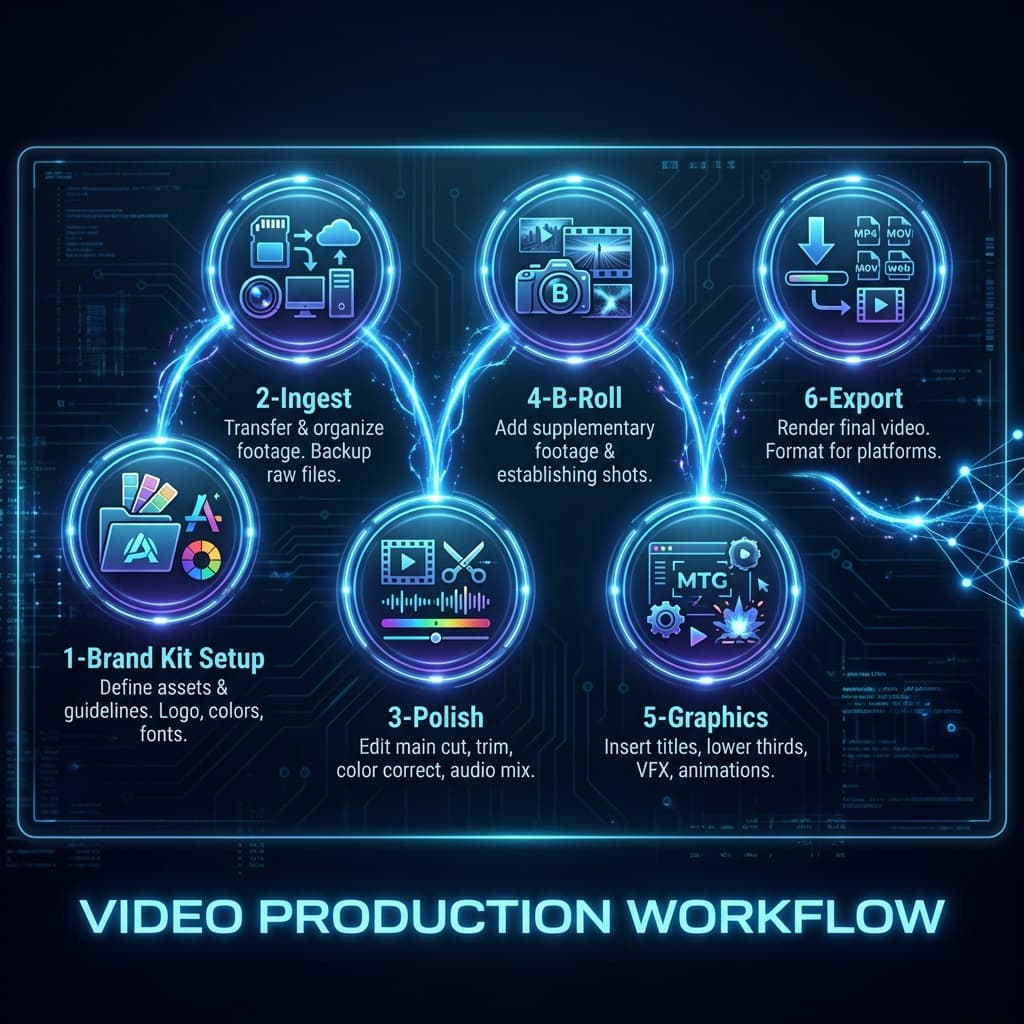
The transformation from raw footage to corporate asset follows a precise, microscopic protocol.
Step 01: Set Up Your Brand Kit
This foundational phase establishes the immutable rules of your visual identity. Upload a transparent PNG or SVG logo (minimum 1000px). Input specific Hex codes for Primary, Secondary, and Accent colors. Upload proprietary .OTF or .TTF font files—avoiding system default fonts is a critical lever for perceived premium quality.
Step 02: Ingest and Organize
The quality of output is strictly correlated with the organization of input. Ingest primary 'Talking Head' footage and B-Roll assets. The AI generates a text transcript of the A-Roll. Professional Protocol: Edit the video by modifying the text transcript. This text-based editing workflow significantly outperforms traditional timeline cutting.
Step 03: Polish the A-Roll (The Clean Up)
Prior to stylistic enhancement, the foundational content must be purified. Enable 'Eye Contact AI' to correct off-axis gaze. Engage 'Enhance Speech' to eliminate room reverberation and environmental noise. Execute 'Remove Silences' to create a propulsive rhythm.
Step 04: Layer the Visuals (B-Roll)
Adherence to the 'B-Roll Rule' dictates that a talking head should never remain on screen for more than five seconds without visual interruption. Use 'Semantic Search' to select B-Roll clips that match key terms in the transcript. Apply a subtle 'Slow Zoom' (105% to 110%) to static assets to add kinetic energy.
Step 05: Branding Pass & Graphics
This phase applies the final layer of corporate polish. Implement the animated logo stinger at the start (under 3 seconds). Trigger 'Lower Third' graphics upon the first speaker appearance, styled with Brand Kit colors. Activate the persistent logo watermark (50% opacity) for content security.
Step 06: Review and Export
Generate a review link for stakeholder feedback with timestamp-linked comments. Select '4K (UHD)' regardless of source resolution to force higher bitrate codecs. Set Bitrate to 'High' (20Mbps+).
Troubleshooting: Common Quality Issues
| Issue | Diagnosis | Fix |
|---|---|---|
| "Muddy" Audio | Frequency clashes between background music and voice (200Hz - 2kHz range). | Deployment of 'Auto-Duck' to attenuate music by -5dB during speech segments. |
| Blurry Text | Export resolution or bitrate insufficiency. | Utilization of Vector Text overlays combined with 4K export settings to ensure edge sharpness. |
| "Jumpy" Cuts | Jump cuts creating tonal dissonance in corporate contexts. | Application of 'Morph Cut' interpolation or short (4-frame) Cross Dissolves to smooth headshot transitions. |
| Washed Out Colors | Logarithmic footage interpreted without LUT application. | Activation of 'Auto-Color' with 'Corporate Clean' presets to restore contrast and saturation baselines. |
Comparison: AI vs. Traditional Production
| Feature | Traditional Production | FlowVideo AI Studio |
|---|---|---|
| Cost Structure | $5,000+ per asset (Project-based) | ~$20 per asset (Subscription-based) |
| Time-to-Market | 14-21 Days | 2-3 Hours |
| Human Capital | Producer, Editor, Sound Engineer, Colorist | 1 Marketing Generalist |
| Brand Integrity | Contingent on freelancer adherence | 100% Algorithmic Enforcement |
| Revision Friction | High (Hourly billing models) | Zero (Instant re-render) |
Industry Use Cases and Market Validation
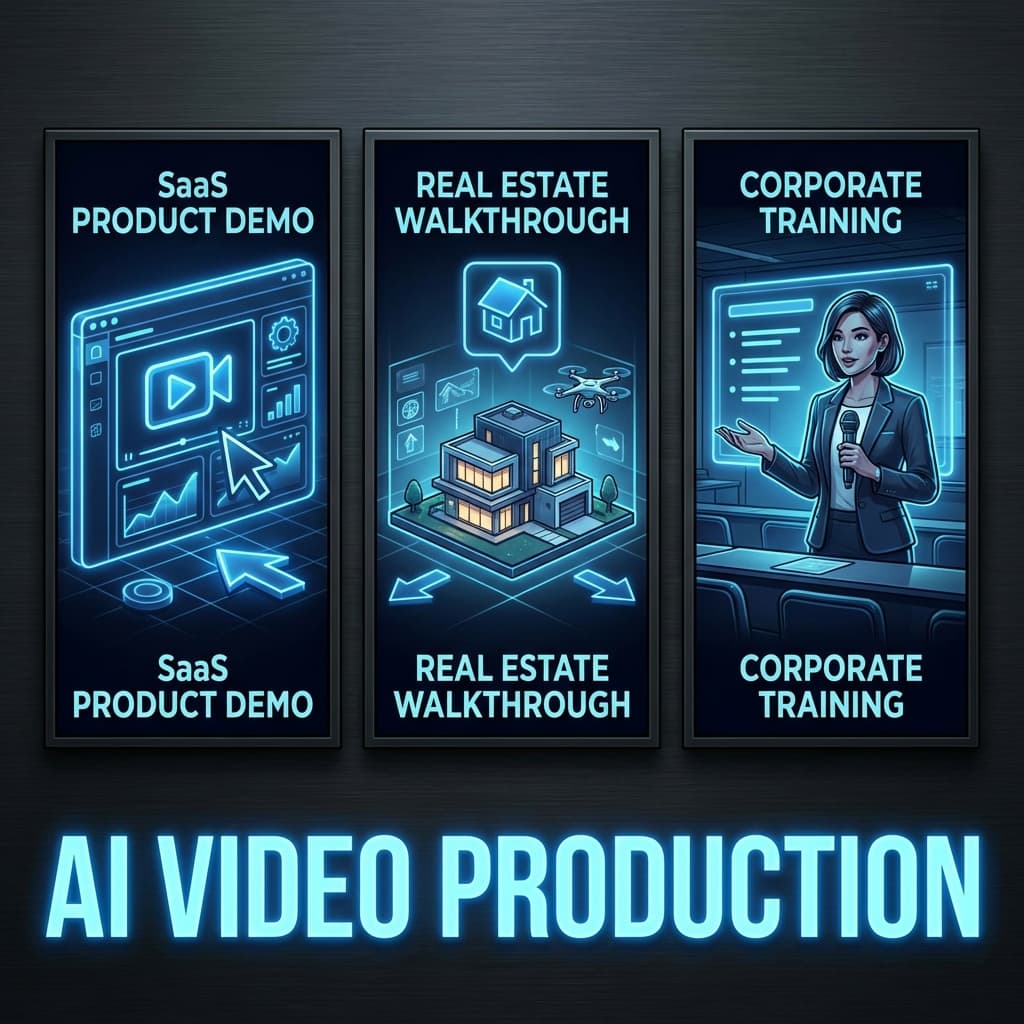
| Industry | Challenge | Solution | Result |
|---|---|---|---|
| SaaS (Product Demos) | Low-res screen recordings lack engagement | 'Zoom and Pan' AI for dynamic screencasts | High-conversion landing page assets |
| Real Estate | Handheld footage degrades property value perception | AI Stabilization + 'High Key' color grading | Premium listings, higher valuations |
| Corporate Training (L&D) | Low engagement on compliance content | AI Avatars in 60-second micro-learning modules | Higher retention and compliance rates |
SaaS Companies (Product Demos)
Challenge: Standard screen recordings often suffer from low resolution and static engagement.
Solution: Implementation of 'Zoom and Pan' AI to introduce dynamic movement to screencasts.
Result: High-conversion landing page assets that articulate value propositions with clarity.
Real Estate Consultancies
Challenge: Agents often capture handheld footage that degrades property perceived value.
Solution: Application of AI Stabilization and 'High Key' color grading to brighten interiors.
Result: Properties present as premium listings, justifying higher valuations.
Corporate Training (L&D)
Challenge: Traditional compliance content suffers from low engagement and retention.
Solution: Deployment of AI Avatars to deliver content in 60-second micro-learning modules.
Result: Measurably higher retention rates and improved compliance metrics.
Expert Consensus: Market Sentiment
Analysis of current market trends and user feedback indicates a profound shift in professional video expectations. Early adopters report that transitioning to an AI-augmented workflow has not only reduced overhead but has fundamentally improved the aesthetic consistency of their global campaigns. The consensus among digital marketing executives is that the integration of high-level AI capabilities is the single most effective way to scale content without diluting brand prestige. One senior creative lead noted that the platform functions effectively as an 'automated agency,' handling the technical minutiae that previously consumed 80% of the production timeline.
Frequently Asked Questions
Q: Is collaborative editing supported for enterprise teams?
A: Yes. The 'Teams' architecture facilitates shared Brand Kits and multi-seat editing environments. Stakeholders can annotate timelines and manage assets within a centralized cloud repository.
Q: What are the export protocols for LinkedIn optimization?
A: LinkedIn algorithms favor Square (1:1) or Vertical (4:5) aspect ratios. The platform offers dedicated export presets and supports 'Burned-in Captions,' which are essential for the high 'sound-off' viewership typical of corporate social platforms.
Q: Does the rendering engine support high-frame-rate (60fps) 4K?
A: Yes. The infrastructure matches commercial broadcast standards. 60fps input is preserved in the output, enabling fluid slow-motion capabilities.
Q: Can proprietary Template Systems be archived?
A: Yes. Once a video style is finalized, it can be saved as a 'Master Template' for future use, ensuring consistent output across long-term projects.
Q: What are the security specifications for cloud storage?
A: The platform utilizes SOC-2 compliant AWS servers. All data is encrypted both at rest and in transit, meeting the most stringent enterprise security standards.
Conclusion: The Future of High-Fidelity Synthesis
Professionalism in video production is less a function of budget than of rigorous attention to detail—specifically, the micro-adjustments of spacing, audio clarity, and chromatic consistency. The methodologies outlined in this report demonstrate that FlowVideo AI's 'Create Professional Videos' tools replace manual vigilance with algorithmic precision. By strategically integrating these capabilities within a broader AI Video Generator framework, organizations can ensure brand protection, message clarity, and visual distinction in a saturated market. The transition from startup execution to unicorn-level broadcasting is no longer limited by the scale of a production department, but is now a direct output of software-driven efficiency.