
AI Video Generator: Quick Start
Minimal Signup, Maximum Creation
Most AI video tools bury you in forms, verification emails, and credit card screens before you can do anything. FlowVideo AI takes a different approach. Sign up with one click using Google or email, and you are generating videos within 60 seconds. No credit card. No lengthy onboarding. No trial that expires before you figure out the interface. We built the fastest path from curiosity to creation because we believe the tool should prove its value before asking for your commitment.
Built for transparent creative workflows
Generator Config
Fast Mode • 720p
READY TO GENERATE
The Fastest Path from Idea to Video
Most video tools waste your time with lengthy onboarding flows. By the time you figure out where the create button is, your creative momentum is gone.
FlowVideo AI is built for speed. One-click signup with Google, and you are inside the editor generating your first video within a minute. The interface is designed so that first-time users can produce a result without reading documentation or watching tutorials.
We are confident that once you see the quality of our AI, you will want to explore the full feature set. But we will never hold your work hostage behind a paywall. Generate, preview, and download. That is the promise.

Why Use a No Login Generator?
Frictionless Prototyping (Speed)
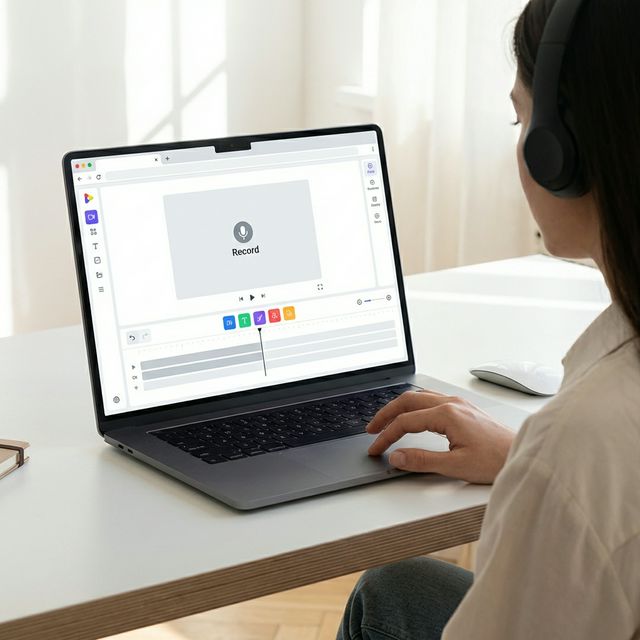
The Technology: Ephemeral Sessions

Browser Fingerprinting (Anti-Abuse)
The Challenge: If it's free and requires no login, what stops a bot from generating 1 million videos and crashing our servers? The Defense: We use advanced Browser Fingerprinting and IP Rate Limiting. Limit: A Guest user gets 5 generations per day per IP. Check: We verify that the request comes from a real browser (checking Mouse Events and Screen Resolution) to block headless bots.

Local Storage Caching
The Feature: Even though you aren't logged in, you don't want to lose your video if you refresh the page. The Tech: We use the browser's localStorage and IndexedDB to save a "Lite" version of your session history. Result: If you accidentally close the tab and reopen it 5 minutes later, your video is still there. It lives on your device, not our database.

Edge Rendering
The Speed: Guest requests are routed to our "Edge Nodes" (closest server to you). This ensures the interface loads instantly. While "Pro" users get priority on the H100 GPU clusters for 4K rendering, Guest users are routed to the A100 fleet for fast Standard Definition (SD) rendering.
Step-by-Step Guide: Instant Generation
Access the Tool
URL: Navigate to flowvideo.ai/make/ai-video-generator-no-login. Note: You will see a "Prompt Box" immediately. No popup banners.
The Prompt
Action: Type your vision. "A red sports car driving on Mars, dust kicking up, cinematic lighting, 4k." Model: Toggle the "Fast" model (optimized for Guests).
Generate
Click: "Make Video." Captcha: You might be asked to solve a simple "Slide to Verify" captcha (to prove you are human). Wait: The progress bar fills. (~15-20 seconds).
Preview
View: The video loops in the player. Check: Is the car red? Is it Mars? Refine: If not, change prompt to "Mars Surface" and hit Generate again.
Download
Action: Hover over the video. Click the "Download Icon" (Down Arrow). Format: It saves as an MP4 directly to your "Downloads" folder. Watermark: Guest videos have a small watermark. (Sign up to remove it).
Comparison: Free Access
| Feature | Runway Gen-2 | Pika Labs | FlowVideo No Login |
|---|---|---|---|
| Access | Requires Sign Up | Requires Discord | No Login Required |
| Privacy | Tracked | Public (Discord) | Anonymous |
| Download | Yes | Yes | Yes |
| Commercial Use | No | No | No (Personal Use) |
| Speed | Fast | Medium | Instant |
Industry Use Cases

Students
Goal: School project presentation. Need: A clip of "DNA replicating." Action: Type prompt -> Download -> Insert into PowerPoint. Done in 2 minutes.

Designers (Moodboarding)
Goal: Pitching a concept to a client. Need: "Cyberpunk City Visual." Action: Generate 5 variations quickly to put in a Figma board. No need to clutter the main company account.
Developers (API Test)
Goal: Testing if the tech works. Action: Quick prompt to verify the quality of the model before buying the API subscription.
Verify the workflow before generation
Review the inputs, model, estimated credit cost, output type, and limitations shown on this page.
Troubleshooting: Guest Mode Issues
"Limit Reached"
Wait 24 hours for the IP reset, or Clear Cookies (sometimes works), or just Sign Up for a free account to get 50 more credits.
Video Disappeared
Guest videos auto-delete after 1 hour. Always Download immediately. If you want to keep them in a library, you must create an account.
Resolution Low
Guests are limited to 720p. For 1080p or 4K, an account is required (Bandwidth costs).
Slow Generation
During peak times, Logged-in users get GPU priority. Guests enter a "Queue." Generating at night is faster.
Frequently Asked Questions about No Login
AI Video Generator No Login: What You Get Without Creating an Account
The Problem with Sign-Up Walls in Creative Tools
You find a promising AI video tool, click the demo button, and immediately hit a registration form asking for your email, a password, and sometimes a credit card for a so-called free trial. This pattern has become so pervasive that most users accept it as normal. But it is not normal. It is a friction tax on curiosity. Every registration form between you and the actual product is a moment where creative momentum dies. FlowVideo built its AI video generator no login mode specifically to eliminate this barrier. You open the page, type a prompt, and watch a video materialize. No email verification loop, no password to remember, no marketing emails to unsubscribe from later. The tool earns your attention by delivering results first, not by holding your data hostage.
How Guest Mode Actually Works
The AI video generator no login experience runs on ephemeral sessions. When you visit the page, the system assigns a temporary session token stored only in your browser. Your prompt goes to the same generation engine that powers the full platform, producing video at the same quality level as registered users on the standard tier. The generated file lands in a temporary cloud bucket, available for immediate download. After one hour, the session data and the generated video are automatically purged. There is no user profile created in the background, no cookie-based tracking that follows you across sites, and no attempt to fingerprint your device. This is genuinely anonymous creation. The rate limits are reasonable enough for real evaluation. You can generate several videos per session, which is more than enough to judge whether the tool fits your workflow before deciding if a full account is worth creating.
When No-Login Access Makes the Most Sense
The ai video maker no sign up mode is not designed to replace a full account for heavy users. It is designed for specific situations where speed and privacy matter more than persistence. Picture this: you are in a client meeting and need to quickly visualize a concept. Opening a new tab and typing a prompt is faster than logging into any tool. Or you are a student working on a deadline who needs a quick video clip for a presentation and does not want to create yet another account on yet another platform. Privacy-conscious users also benefit. If you want to experiment with AI video generation without handing over personal data, the guest mode lets you evaluate the technology on your own terms. Journalists researching AI capabilities can test the tool without creating a traceable account. Freelancers can prototype ideas for clients before committing to any platform. The common thread is low commitment with high information value.
Quality Parity: No Bait and Switch
Some tools deliberately degrade their free tier to push upgrades. Watermarks across the entire frame, resolution capped at 360p, generation limited to three seconds. FlowVideo takes a different approach with its free ai video generator no account mode. The standard model runs at full capability. The video you generate as a guest is the same video you would generate as a logged-in user on the free tier. Resolution, duration, and visual quality are identical. The only differences between guest mode and a registered account are persistence and volume. Registered users can save their generation history, organize projects, access premium models, and generate at higher daily limits. But the baseline quality is never artificially reduced for guests. This is a deliberate product decision rooted in a simple belief: if the tool is good, people will sign up because they want to, not because they have to. The try-before-you-buy model works when the product actually delivers.
From Guest to Registered: The Natural Upgrade Path
Most users who try the ai video generator no login mode and find it useful eventually create an account voluntarily. The transition is seamless. You sign up when you are ready, and your future generations are saved to your profile with full project management features. There is no pressure, no countdown timer threatening to delete your work, and no popup interrupting your creative flow. This approach reflects a product-led growth philosophy where the software sells itself through demonstrated value rather than artificial scarcity. For users who never sign up, that is fine too. The guest mode video creator serves its purpose as an evaluation tool and a quick-access utility for one-off generations. Not every interaction needs to become a long-term relationship, and recognizing that is what separates respectful software from predatory funnels.