
Enhance Your Images to 4K and Beyond
Upscale low-resolution images into stunning high-definition masterpieces using Google's advanced super-resolution AI.
Restore clarity, add detail, and magnify your photos without losing quality. Professional-grade scaling for only 5 credits.
AI Image Upscaler
Upload a low-res image and let AI reconstruct the details.
Upscaled HD image will appear here
My HD Gallery
Sign in to view your upscale history
Next-Gen Upscaling
Utilizing Google's state-of-the-art super-resolution models, we provide unmatched clarity and detail reconstruction for your low-quality photos.
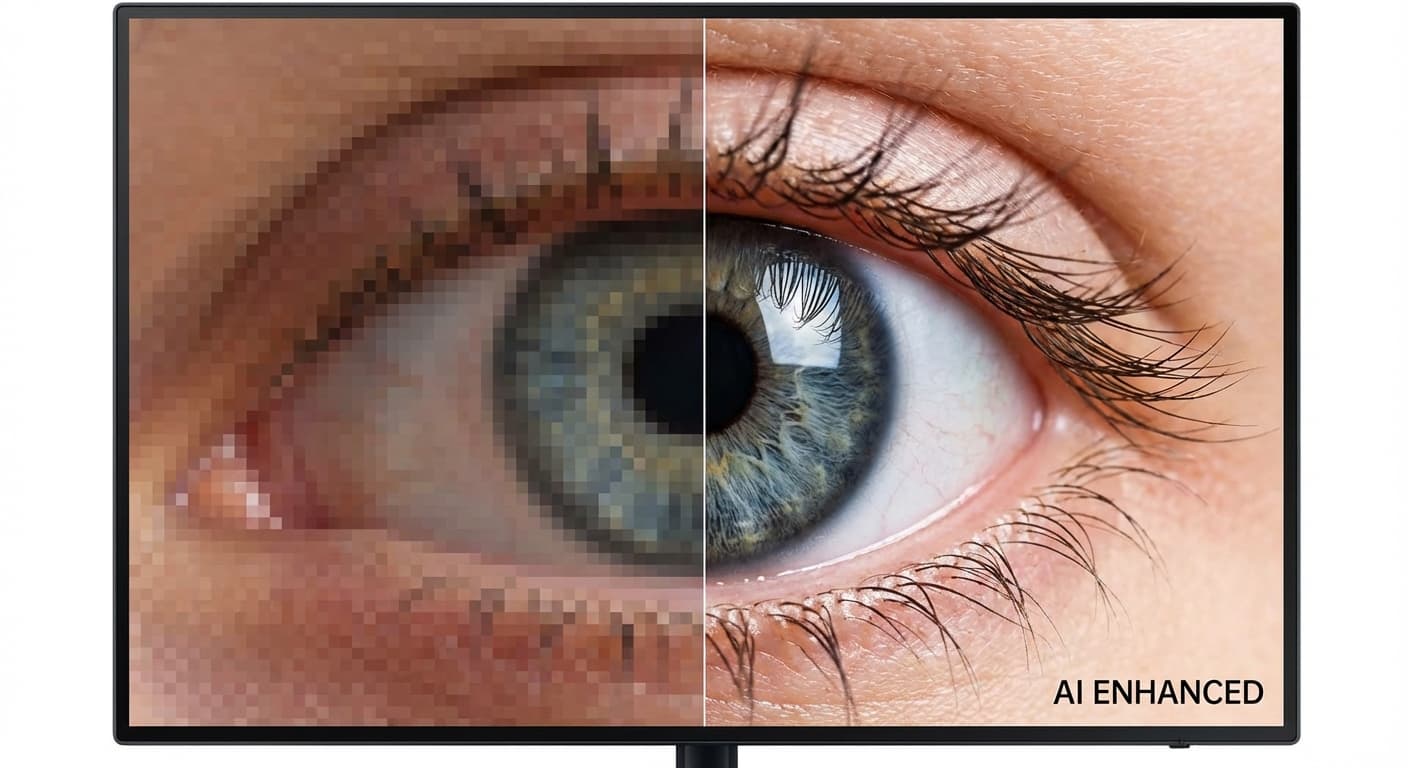
Detail Reconstruction
Our AI doesn't just stretch pixels; it intelligently fills in missing information to create sharp, realistic details.
- Texture recovery
- Sharp edges
- Face enhancement
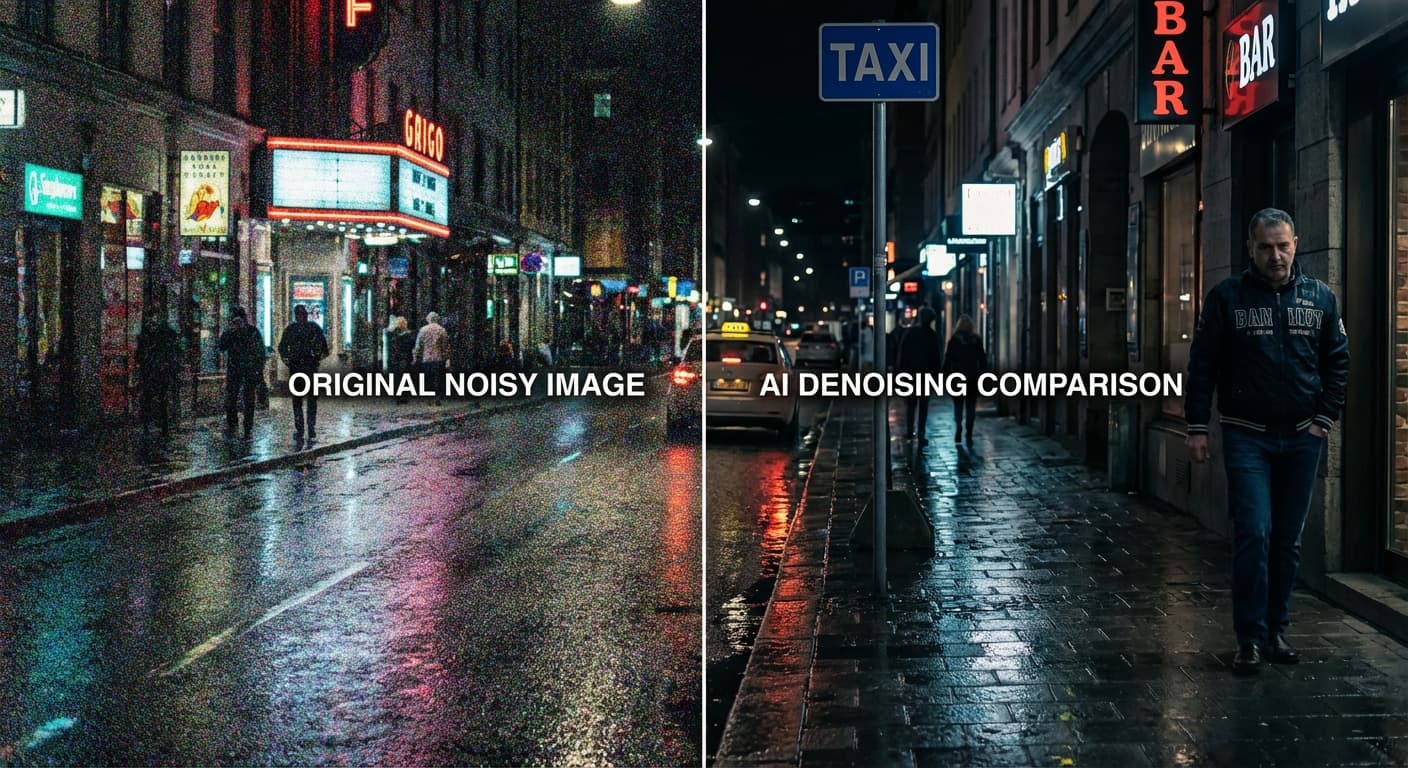
Noise Reduction
Automatically cleans up compression artifacts and ISO noise while upscaling, resulting in a cleaner final image.
- Denoising
- Artifact removal
- Crystal clear
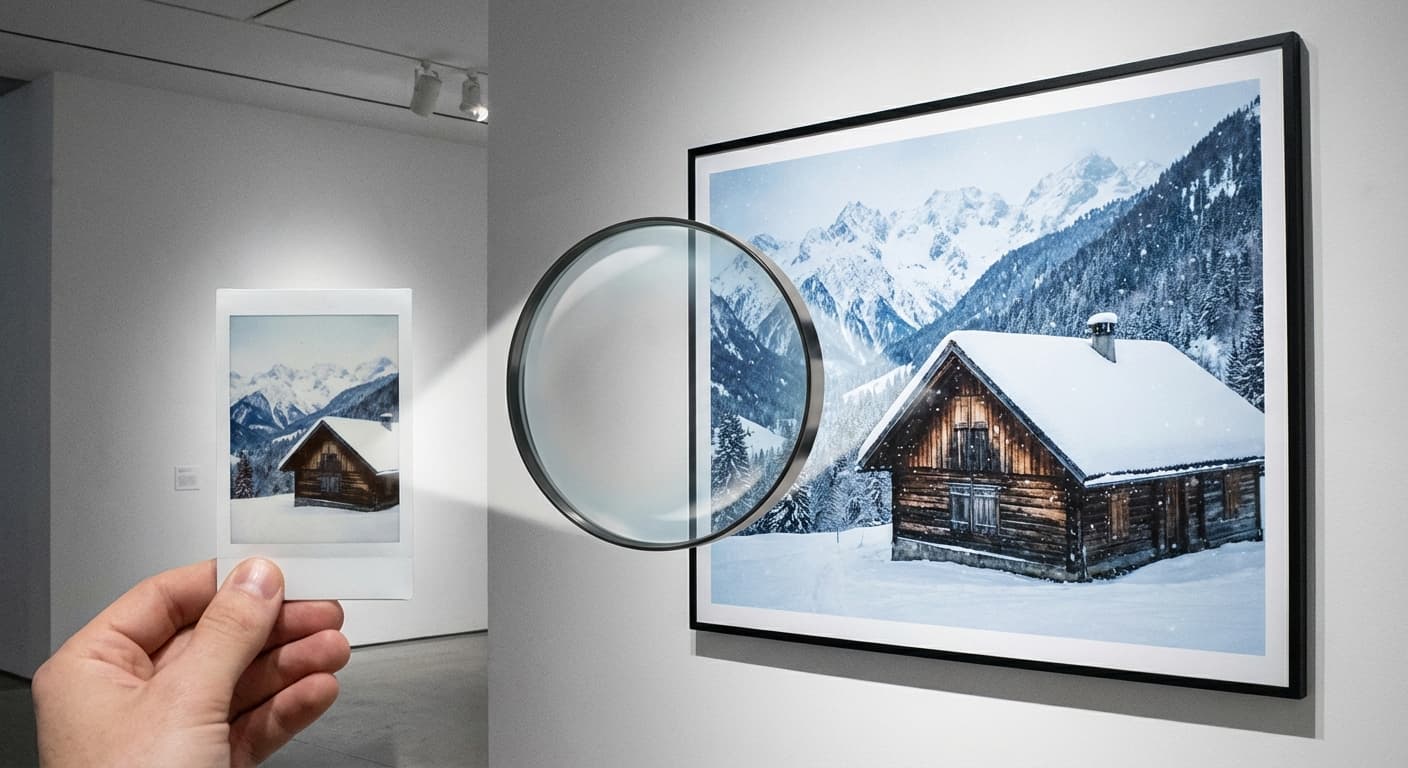
Massive Scaling
Scale your images up to 4x their original size with professional results suitable for printing and high-res displays.
- 4x magnification
- Print-ready
- Ultra-HD output
How to Upscale Images
Upload Photo
Upload any blurry or low-resolution photo you want to enhance.
AI Processing
The AI analyzes the image structure and begins the super-resolution process.
Pixel Magic
Billions of calculations are performed to reconstruct high-frequency details.
Download HD
Preview the crystal-clear result and download your high-definition image.
Upscaler FAQ
Common questions about our AI super-resolution tool.
Rescue Low-Res Photos: How AI Upscaling Reconstructs the Pixels You Lost
Stretching pixels vs. inventing pixels
When you drag the corner of an image in any editor to make it bigger, the software duplicates existing pixels. The result is a larger file that looks blurrier than the original. AI upscaling works differently. A super-resolution model examines the low-resolution input and predicts what the missing high-frequency detail should look like based on patterns learned from millions of photographs. Hair strands, fabric weave, text on signs, and skin pores are all reconstructed rather than smeared. FlowVideo's image upscaler uses a diffusion-based super-resolution pipeline that can push a 500-pixel-wide photo to 2000 pixels while adding plausible texture, sharp edges, and correct lighting gradients. The difference between a stretched image and an AI-upscaled image is immediately visible at 100 percent zoom.
What the upscaler handles well and where it has limits
AI image upscaling excels on faces, architecture, product shots, and natural landscapes because those categories are well represented in training data. The model accurately restores fine detail: individual eyelashes, brick mortar lines, stitching on leather goods, tree bark texture. Where it performs less predictably is on text smaller than eight pixels tall, hand-drawn illustrations with intentionally rough edges, and photos with extreme motion blur where no structural information survives. Knowing these boundaries saves time. If your source image is a blurry phone screenshot of a handwritten note, the upscaler will sharpen the paper texture but may guess wrong on certain letter shapes. For product photography, scanned prints, or social media repurposing, the results are consistently strong.
A practical upscaling workflow for e-commerce
Sellers on Amazon, Etsy, and Shopify frequently receive supplier images that are too small for a product listing hero slot. The fix takes under a minute. Upload the image to FlowVideo's upscaler, select 4x magnification, and wait roughly fifteen seconds. The output arrives as a high-resolution JPEG or PNG, ready to drop into your listing. Because the AI reconstructs texture rather than blurring it, zoom-in views on fabric, jewelry detail, or food garnish look sharp enough to pass marketplace quality checks. Batch mode lets you process an entire catalog folder at once, which is useful during seasonal restocks when dozens of new SKUs need hero images the same day.
Restoring old scans and family photos
Scanned photographs from the 1990s and earlier often top out at 640 by 480 pixels with visible grain, color shift, and compression artifacts. Running them through an AI image upscaler addresses all three problems in one pass. The super-resolution model fills in detail that the scanner missed, the denoising layer strips grain without softening edges, and color correction normalizes faded tones. A wedding photo from 1985 that was barely usable as a thumbnail can become a printable 8-by-10 portrait in fifteen seconds. For genealogy projects or anniversary slideshows, this single step eliminates hours of manual retouching in Photoshop.
File formats and output specs
FlowVideo accepts JPG, PNG, and WebP inputs up to 20 megabytes. Output resolution caps at 4096 pixels on the longest side, which covers everything from Instagram carousel images to large-format prints at 300 DPI. Processing runs entirely on cloud GPUs, so your device specs do not matter. Each upscale costs 5 credits, and free accounts receive a daily allotment sufficient for several images. Downloaded files retain EXIF metadata from the original where available, so timestamps and camera model data carry over into your asset library.
Bring Your Photos to Life
Transform your low-res memories into high-definition art today. Try the AI Upscaler now.