
AI Training Video Platform
Scale Employee Onboarding
Turn approved policies, slide decks, and subject-matter expertise into consistent training modules with a pre-designed fictional presenter, authorized stock narration, captions, B-roll, and knowledge checks.
Built for transparent creative workflows
Training Platform
Cost: 80 Credits per module
Upload Slides (.pptx, .pdf)
AI extracts script from bullet points
Pre-designed fictional presenters and stock narration only. Personal media cannot be used to derive a presenter or voice.
L&D Studio
Upload slides or type a script → Select a fictional presenter → Export a reviewed training module
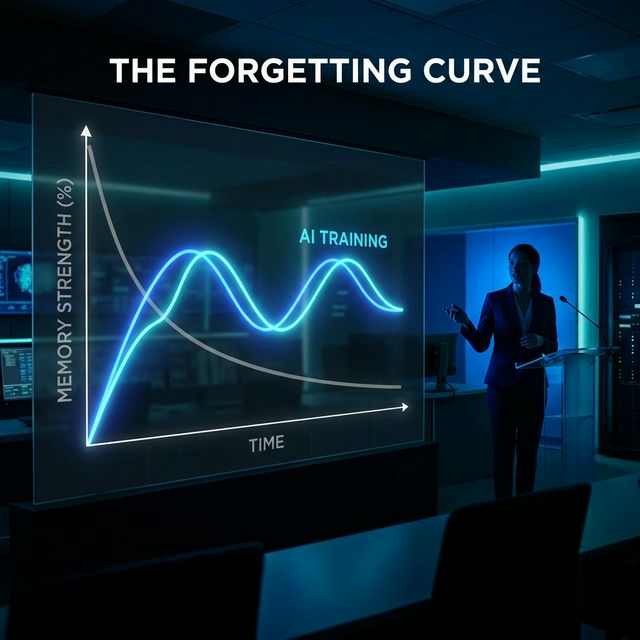
The Forgetting Curve
The "Forgetting Curve" (Ebbinghaus) is the enemy of Learning & Development (L&D). Employees forget 70% of what they learn within 24 hours. Why? Because traditional corporate training is boring. It consists of static PDFs, 2-hour Zoom calls where everyone turns off their camera, or outdated videos filmed in 1995. To improve retention, training must be engaging, bite-sized, and interactive. But producing this kind of "Micro-learning" content at scale is expensive. You can't hire a film crew every time the software interface creates a new button.
FlowVideo AI's AI Training Video Platform is a scalable L&D workspace. Start with an approved script or slide deck, choose an available fictional presenter or a slide-first layout, select an authorized stock narration style, and add relevant visuals, captions, B-roll, and knowledge checks. When a policy changes, edit the source and review the updated module instead of filming it again.
Why Use an AI Training Platform?
Consistency of Delivery (The Perfect Pitch)

The Training Content Workflow

Pre-Designed Fictional Presenters
Choose from available synthetic presenter styles or use a slide-first layout. Personal photos, videos, names, and identifying details cannot be used to derive the presenter. Match the visual style to the course topic and clearly disclose synthetic media when appropriate.

Slide-to-Video Intelligence
You already have the PowerPoints. You don't want to start from scratch. The Converter: Upload your `.pptx` or `.pdf` file. The AI analyzes each slide. The Script: It extracts the bullet points and writes a conversational "Speaker Script" for the avatar to say. The Layout: It places the avatar in the corner (Picture-in-Picture) and displays your slide content, adding kinetic animations to make the static text pop.
LMS Integration (SCORM 1.2 / 2004)
How do you track who watched it? The Standard: We export compliant SCORM (Sharable Content Object Reference Model) packages. The Data: When you upload this zip file to your LMS (Workday, Canvas, Blackboard, Moodle), it allows you to track "Completion Rates," "Quiz Scores," and "Time Spent" per user. It integrates seamlessly into your existing HR stack.
Step-by-Step Guide: Building a Module
Input the Curriculum
Scope the project. Topic: "Cybersecurity Basics 101." Audience: "All Staff." Modules: 1. Password Strength. 2. Phishing Emails. 3. 2FA Setup.
Choose the Instructor
Choose an available fictional presenter or a slide-first template, then select an authorized stock narration style and base language. Use a calm pace for complex material and a more energetic style for short motivational modules.
Scripting and Visuals
Draft the module from approved bullet points. Add licensed B-roll, diagrams, screenshots, icons, and captions to break up slide-heavy sections while the stock narration carries the lesson.
Add Assessment (The Knowledge Check)
Timestamp: Insert a break at 3:00. Question: "Which of these is a safe password?" Options: A) 123456 B) Password C) Tr0ub4dor&3 Feedback: "Correct! Using special characters makes it harder to crack."
Publish & Track
Link: Send a direct link to employees (hosted on FlowVideo). Embed: Place it on your Intranet (Sharepoint/Notion). SCORM: Download the package for your LMS to get compliance tracking.
Comparison: AI Training vs. Live Training
| Feature | Live Training (Zoom/In-Person) | FlowVideo AI Platform |
|---|---|---|
| Cost | High (Salary/Travel) | Low (Subscription) |
| Scalability | Linear (1 trainer : 30 people) | Infinite (1 video : 1M people) |
| Convenience | Scheduled (Synchronous) | On-Demand (Asynchronous) |
| Update Speed | Retrain the trainer | Update the text file |
| Engagement | Variable | Consistent |
Industry Use Cases
Retail & Hospitality (Franchises)
Lesson: "Standard Operating Procedures (SOP) - Folding Napkins." Format: Avatar + Video overlay of hands folding. Benefit: Ensures every table in every franchise looks identical, protecting the brand.
Sales Teams (SDRs)
Lesson: "Objection Handling." Format: Roleplay. Avatar A (Customer) argues with Avatar B (Sales Rep). Benefit: Reps learn by watching the "Perfect Pitch" modeled for them before getting on the phone.
Healthcare (Hospitals)
Lesson: "HIPAA Compliance & Privacy." Format: Serious tone. Quiz heavy (Must pass 100%). Benefit: Audit trail proves that 100% of staff completed the mandatory training, protecting the hospital from fines.
Manufacturing (Factory Floor)
Lesson: "Equipment Safety - Emergency Shut-off." Format: Avatar + Diagram overlay showing the location of the button. Benefit: Reduces workplace accidents and insurance premiums.
Verify the workflow before generation
Review the inputs, model, estimated credit cost, output type, and limitations shown on this page.
Troubleshooting: Common Training Issues
Low Completion Rate
Use "Split Module" to break it into three 3-minute videos.
Boring Visuals
Use "AI B-Roll" to auto-insert relevant stock footage every 10 seconds.
Robotic Voice
Use the "Casual Tone" filter to add contractions and warmth.
Mobile Glitches
Enable "Mobile Safe Zone" to ensure font size is readable on iPhone.